With this release, we are taking swoox.io a big step forward: a modernised design, expanded workflow functions, improved data protection options and a new plugin system ensure greater flexibility, transparency and future-proofing.
The update is aimed both at users who work with workflows on a daily basis and at technical teams who want to expand swoox.io in a targeted manner and integrate it into modern system landscapes.
Highlights of the release
Important new features
- MCP integration: Provide workflows as tools for AI agents
- New design: Modern colour scheme, redesigned login screen and new menu
- Workflow input/output validation & array support: Greater transparency for schema changes and flexible data transfers in workflow tasks
- Plugin Manager: Flexible extension of swoox.io
- Data protection & clean-up: Easy deletion of personal data, logs and incorrect workflow messages
Improvements & optimisations
- Intuitive, dynamic menu with plugin extensibility
- Advanced management and cleaning of workflow logs
- Performance and stability improvements through framework updates
Bug fixes & maintenance
- Technical modernisation to the latest Symfony LTS version
- React minor updates for a more stable user interface
New features in detail
MCP integration
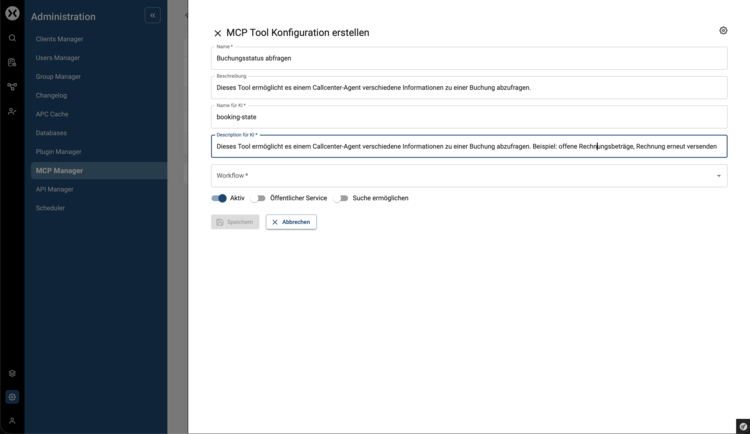
With the new MCP integration, workflows can be provided as tools via the Model Context Protocol (MCP). This allows workflows to be controlled and executed directly by AI agents – an important step towards AI-supported automation.
You can find out more about how companies use AI in business processes in the article ‘How swoox.io makes business processes usable for AI agents via MCP’.
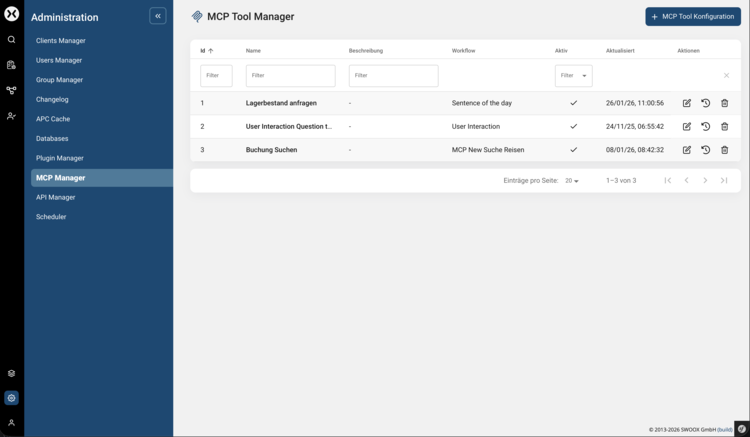
Overview of the MCP tools provided:
Making a workflow available as an MCP tool:
New design
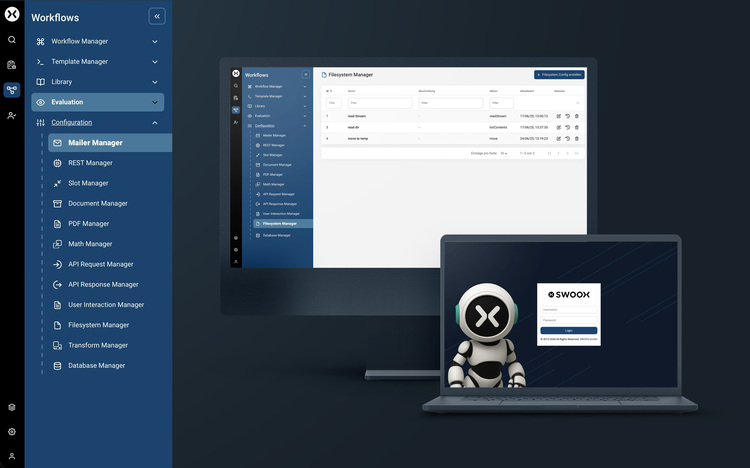
The swoox.io user interface has been comprehensively modernised. A new color scheme, a redesigned login screen and a new navigation concept ensure a more consistent, clearer and more accessible user experience.
The new, dynamic navigation replaces the previous top menu and enables faster access to central functions. At the same time, it is prepared for future plugin extensions.
Workflow input/output validation & array types
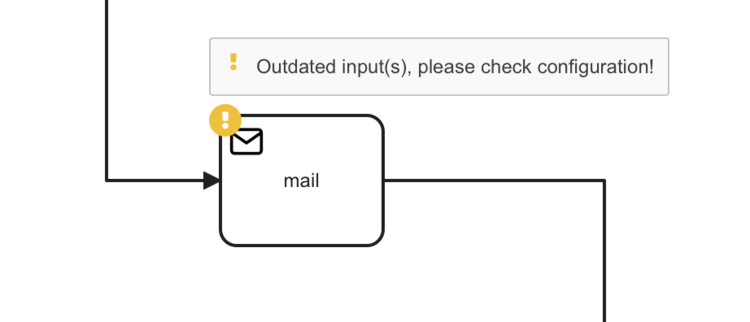
Schema changes to outputs are now recognised and displayed in workflows. Users are notified when an output schema has changed
Schema changes to other outputs are now displayed in workflows and users are notified when an output schema has changed.
In addition, inputs and outputs in workflow tasks can now also contain the array type. This allows, for example, multiple values to be transferred simultaneously or lists of data to be processed – ideal for more complex workflows and automated processes.
Plugin Manager
Swoox.io can be flexibly expanded via a new plugin system. Plugins can be installed, managed, and enabled or disabled either via console commands or conveniently via the intuitive user interface.
Data protection & cleanup
Workflow logs can be managed directly in the interface. Personal data can be completely deleted, old or no longer needed logs can be removed, and faulty workflow messages (workflow_failed) can be specifically cleaned up – for greater security, clarity and compliance.
Next steps & feedback
We are continuously developing swoox.io. Upcoming features include:
- Loop function with sub-processes
- Workflow cron job control
Do you have any suggestions or feedback on this release? We look forward to hearing from you!
🔗 Request a demo now
💬 Give feedback: Contact us


We would be happy to show you how easy and flexible process automation with swoox.io is.
Or you can try it out for yourself right away.