An invoice arrives by email. Someone types the data into the ERP system, a colleague checks the amount, another colleague approves it. Every step is routine, and still the process often takes days. Every company has workflows like this. This guide shows you how to automate them.
Key facts at a glance: Process automation means that software carries out recurring workflows fully or partly on its own. Good candidates are frequent, rule-based processes with digital data. The main types are workflow automation, rules, RPA and AI agents. AI agents add the most value when they work as a fixed step in a process and have clear limits.
What is process automation?
Process automation means that software carries out recurring workflows in a company fully or partly without manual work.
Every process has a trigger, a sequence of steps, decisions and a result. In an invoice approval, the software reads the invoice, checks the amount against the purchase order, sends it to the right person and books it after approval. People only make the decisions that really need a human.
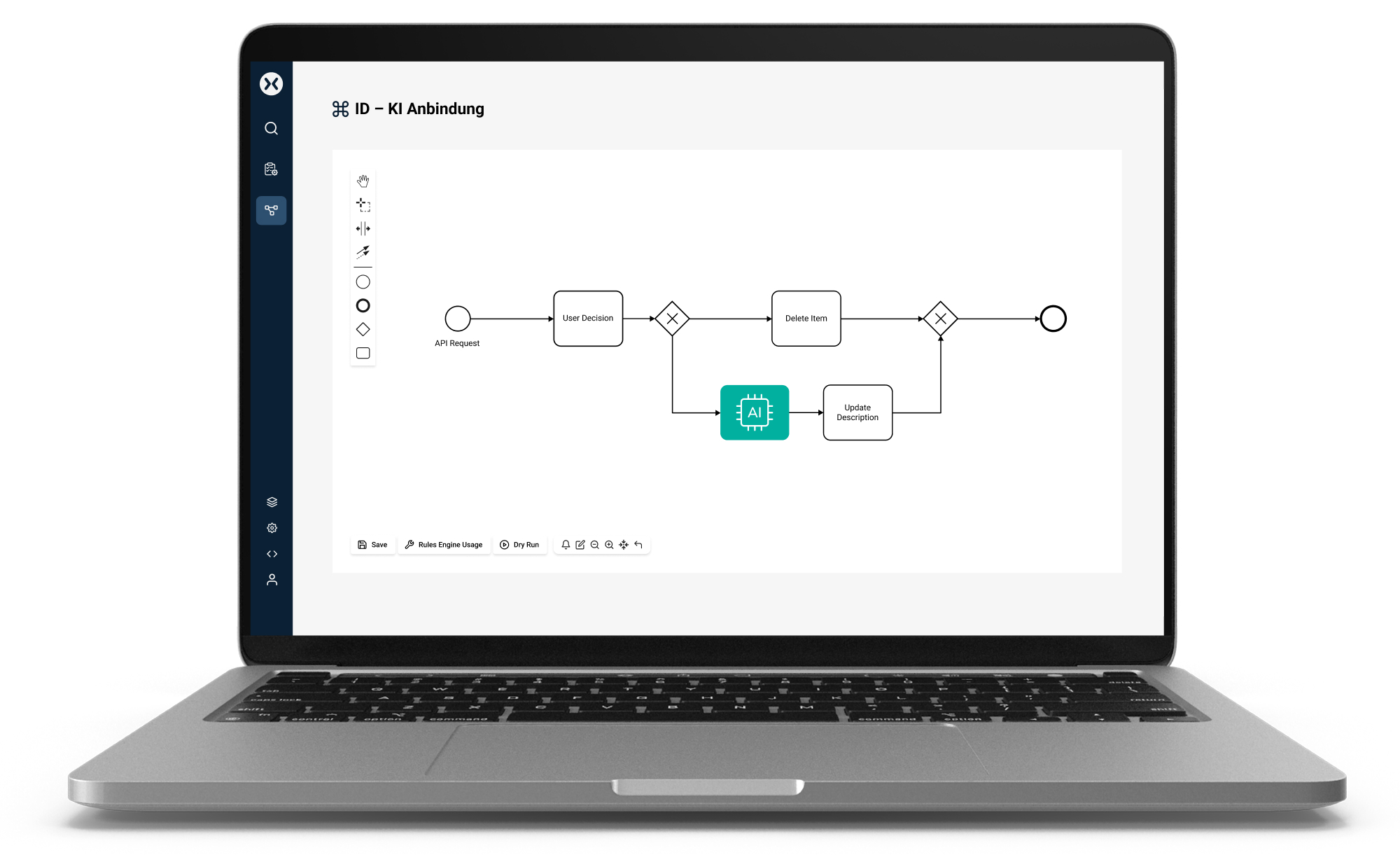
You will also see the terms business process automation (BPA) or workflow automation. In most cases, they mean the same thing. To separate the terms: digitalization turns a paper form into a digital form. Automation makes sure the form then takes the right path on its own. Business process management is the wider discipline of analyzing and improving processes.
Which processes can be automated?
A process is a good fit if it
- runs often and follows a similar pattern,
- follows clear rules, such as approval limits or responsibilities,
- works with digital data,
- connects several systems or departments,
- costs time or money when errors happen.
Rare one-off cases and tasks that are mostly about judgment are a weaker fit. Three examples from practice:
vtours: 77% time savings
Accounting and communication processes for around 500,000 bookings per year.
View reference
Aixioom: available 24/7
An AI voice bot answers standard requests in customer support.
View reference
Stylefile: 50,000 price changes per day
Dynamic pricing across several marketplaces.
View reference
Types of process automation: workflows, rules, RPA and AI agents
| Type | What it does | Strength | Limit |
|---|---|---|---|
| Workflow automation | controls order, responsibilities and handovers | makes the whole process visible | needs a clearly defined process |
| Rules | decide based on fixed if-then logic | fast, clear, easy to check | fail with unclear input |
| RPA | software robots use screens like a human | helps with legacy systems without an interface | breaks when the screen changes |
| AI agents | understand texts and documents and choose actions | work with unstructured information | need limits and control |
In practice, companies combine these types. Workflow automation is the backbone. Many platforms use the BPMN 2.0 standard for this, which business teams and IT can both read. Rules make the decisions within the process. We explain the difference in [What is a business rules engine?](→ EN was-ist-business-rules-engine) and [Workflow engine vs. rules engine](→ EN automatisierungstools-workflow-engine-vs-rules-engine). RPA makes sense where there is no interface. AI agents take over tasks that used to need people, such as sorting an email or reading data from a document.
Benefits and limits of process automation
Benefits
- shorter processing times, because nothing gets stuck in an inbox
- fewer errors, because no one types data by hand
- every step is logged and traceable
- more time for tasks that need experience
- volume can grow without effort growing at the same rate
Limits
- a bad process only runs badly faster when automated
- poor master data leads to wrong results
- processes need maintenance when rules or systems change
- without acceptance in the team, even good technology fails
Read more in 6 hurdles of process automation and 8 myths of process automation.
Process automation with AI: why AI agents need clear limits
57% of companies use AI
59% of them do not use its potential at all
over 40% of AI agent projects will be canceled by the end of 2027
According to the German digital association Bitkom, the majority of companies in Germany use AI for the first time in 2026, up from 36 percent one year earlier. At the same time, 59 percent say they do not use its potential at all. One reason: AI is often used in a chat window, as a tool for individuals. The bigger lever is to build AI into a business process as a fixed step.
This also creates new risks. Gartner expects that over 40 percent of AI agent projects will be canceled by the end of 2027, because costs rise, the business value stays unclear or risk controls are missing.
Three questions before you use an AI agent:
- What is the agent allowed to do? Which data, systems and actions can it access?
- Who steps in? Where does a person check the result?
- What can be proven? Can you trace later how a decision was made?
The solution: the agent works as one step in a modeled process. The process defines when the agent is called, what information it receives and what happens with its result. You define the agent's scope of action on three levels.
Three levels of the scope of action
Where a result has consequences, a person checks it before the process continues (human in the loop). This also makes it easier to meet the requirements of the EU AI Act for documentation and human oversight.
Learn more on the page AI agents in swoox.io and in the article AI agents in the process, not in the chat.
Five steps to process automation
1. Choose a process. Pick a frequent, rule-based workflow and measure how long it takes today and how many errors happen.
2. Map the current process. Talk to the people who run the process every day and remove steps you do not need.
3. Model the target process. Describe the new workflow in BPMN 2.0, including exceptions.
4. Start small and test. Begin with one location or one product group and test with real cases.
5. Measure and expand. Compare the results with step 1, then add the next process.
What to look for in process automation software
- Open standards like BPMN 2.0 instead of proprietary formats
- Low-code for business teams, extensibility for IT
- Interfaces to ERP, CRM, shop and PIM, ideally via REST API
- AI without vendor lock-in, with a free choice of language model
- Operation in the EU or on-premise, GDPR-compliant
- Roles and permissions, single sign-on
- Monitoring and logs for full transparency
- Trial period to start with a first process
swoox.io is a European low-code platform that covers these points: processes in BPMN 2.0, AI agents with a clearly defined scope of action, operation on-premise or as PaaS in the EU. Learn more about swoox.io process automation software.


We would be happy to show you how easy and flexible process automation with swoox.io is.
Or you can try it out for yourself right away.