Zum Hauptinhalt springen

6 hurdles to process automation – and how to overcome them

  • Blog-Kachelbild:
  • Blog-Headerbild:
  • Blog Header Alt Tag: steel chain

Despite technical maturity, almost every second RPA project fails – according to a study by EY. Why? The tools themselves are not the problem, but unclear processes, lack of preparation, and insufficient adaptability. To successfully implement automation, you need to start exactly here. We show you six common obstacles – and how to overcome them to automate your processes efficiently and future-proof.


1. Processes are not clearly defined

Only clearly structured, recurring workflows are suitable for automation. If defined process steps, boundaries, and responsibilities are missing, gaps arise that RPA solutions cannot compensate for. Analyze your processes in advance – focusing on regularity, logic, and automatable potential.


2. Confusing or unnecessary process steps

The more loops, detours, and media breaks a process contains, the more prone it is to errors. Check:

  • Is every step really necessary?
  • Can the sequence be optimized?
  • Can manual intermediate steps be digitized?

Do not automate unnecessary processes – first optimize, then automate.


3. Lack of flexibility in process structure

Processes are never static. Market changes, new customer requirements, or regulatory guidelines require continuous adjustments. Automated processes must therefore be flexible enough to respond quickly to changes. When choosing a tool, pay attention to adaptability and scalability.


4. No success measurement after implementation

Only what is measured can be improved. Key performance indicators such as lead times, error rates, or cost per process should be collected and analyzed regularly. This allows you to identify optimization potential early – and ensures that your automation pays off in the long term.


5. Security risks are underestimated

RPA bots often require privileged access to sensitive systems such as ERP or CRM. If credentials are stored in code or insufficiently protected, serious security vulnerabilities can arise. Use encrypted credential storage, role-based access models, and active monitoring to safeguard against misuse.


6. Unclear responsibilities between IT and business departments

Automation is not purely an IT project. The responsibility for processes lies with the business departments – they know the workflows, dependencies, and goals. IT handles technical implementation and consulting. Clear role distribution is crucial to ensure that automation does not become a black box.

swoox.io – Automate processes without obstacles

With swoox.io, we bring clarity and structure to your processes – creating the foundation for successful automation. Our tool seamlessly connects systems via interfaces and allows rules to be defined intuitively – completely without programming knowledge.

This keeps processes where they belong: under the responsibility of your business department – not in the IT bottleneck.

Do you want to automate your processes – but do it right?
Schedule a non-binding consultation now: Book a demo appointment

AI meets process automation: How swoox.io makes business processes usable for AI agents

  • Blog-Kachelbild:
  • Blog-Headerbild:

Artificial intelligence has long been more than just a trend. It is changing the way we work, make decisions and communicate. But although many companies are already relying on automation, the full potential of AI often remains untapped. Especially in operational business processes, there is a lack of structured connection between AI systems and business logic.

swoox.io closes this gap. The platform connects modelled processes directly to AI systems such as ChatGPT, Claude or internal AI agents – without programming. This transforms isolated automation into structured, intelligent collaboration between people, processes and AI. 


Why AI often reaches its limits in companies

Language models understand natural language, interpret content and provide answers – but they don't understand business logic. They don't know how a booking process works, which data is relevant or which actions are permitted. As a result, AI remains an add-on rather than a productive part of the team.

This is where swoox.io comes in with a new standard – the Model Context Protocol (MCP).


MCP: Structured context for AI-supported process automation

In order for AI systems to be meaningfully integrated into business processes, they need more than just data. They need context, rules and clearly defined scope for action. The Model Context Protocol (MCP) creates precisely this framework.

What ist MCP?

MCP is a standardised protocol that converts modelled workflows into a semantically and technically interpretable structure. It defines how a process can be understood, executed and controlled by AI – including all parameters, actions and return values.

Every workflow created in swoox.io is automatically provided as an MCP tool. This means:

  • Input parameters are clearly described – e.g. booking numbers, customer data or time periods.
  • Actions are validated and unambiguous – such as ‘send invoice’ or ‘make rebooking’.
  • Return values are structured – e.g. status messages, documents or confirmations.
  • Security limits are set – the AI can only act within defined processes.

Why is MCP crucial for AI integration? 

MCP creates a standardised interface between AI and business logic. The AI does not have to ‘guess’ but can act in a targeted and secure manner – based on clearly defined workflows. This reduces risks, increases transparency and makes AI usable even in sensitive areas such as tourism, finance or healthcare.


From workflow to genuine interaction – AI as a digital team member

With swoox.io, AI is no longer just fed with data – it actively interacts with company systems. Instead of performing isolated tasks, it acts like a digital colleague: it understands processes, retrieves data, makes decisions within a defined framework and delivers results in real time.

An example from the tourism industry shows how this works in practice:

  • Customer support: An AI agent automatically checks customer data, finds booking numbers or sends travel documents by email – securely, traceably and in compliance with data protection regulations.

swoox.io AI Bot - Touristic Customer Care - Watch Video:
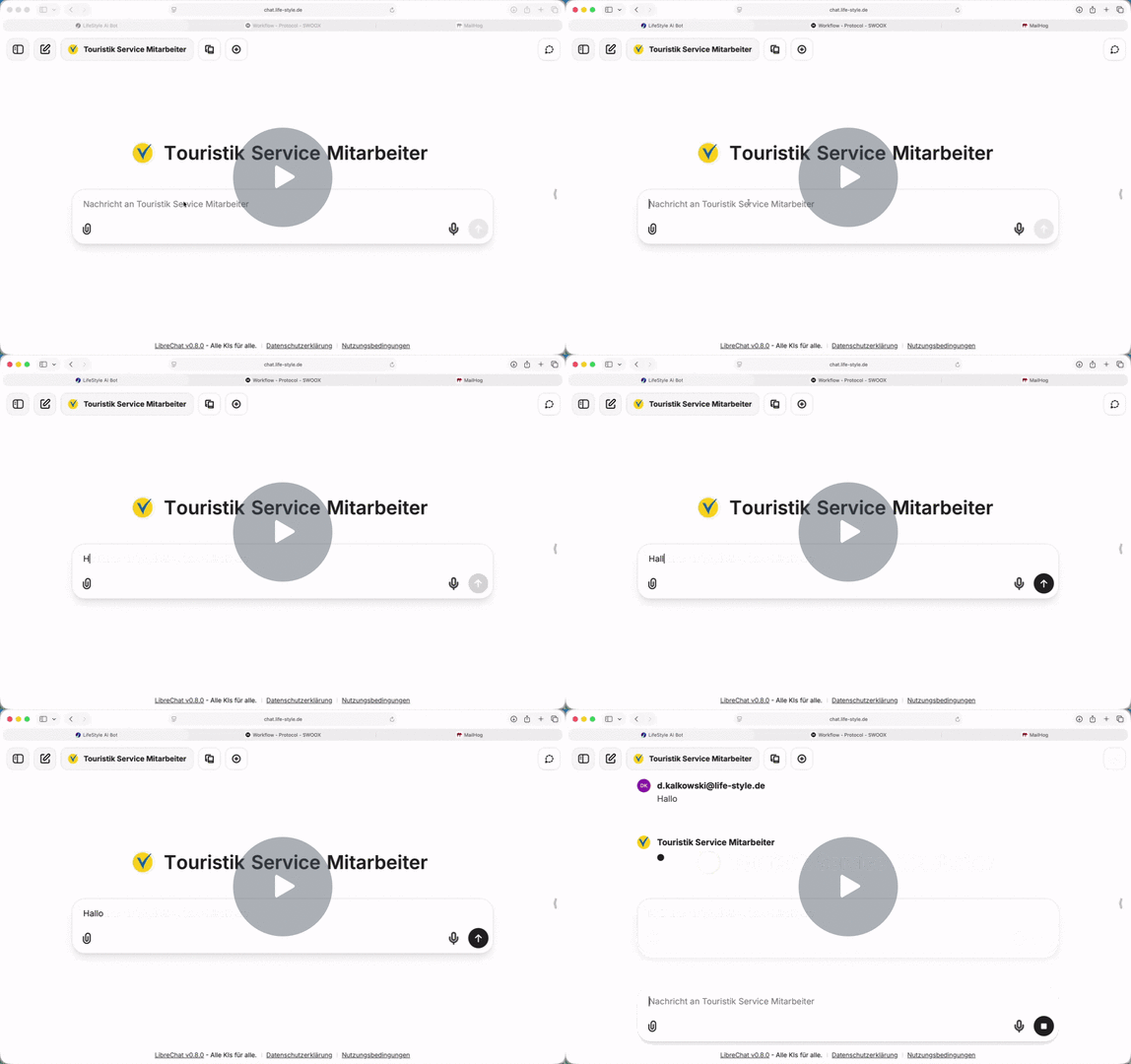
preview image swoox.io AI-Bot Touristik Customer Care

  • Service: A strike paralyses the airport – customers must be informed at short notice. The AI agent automatically identifies affected bookings, creates personalised email letters and sends the information directly to customers.

swoox.io AI Bot - Touristic Administrator - Watch Video:
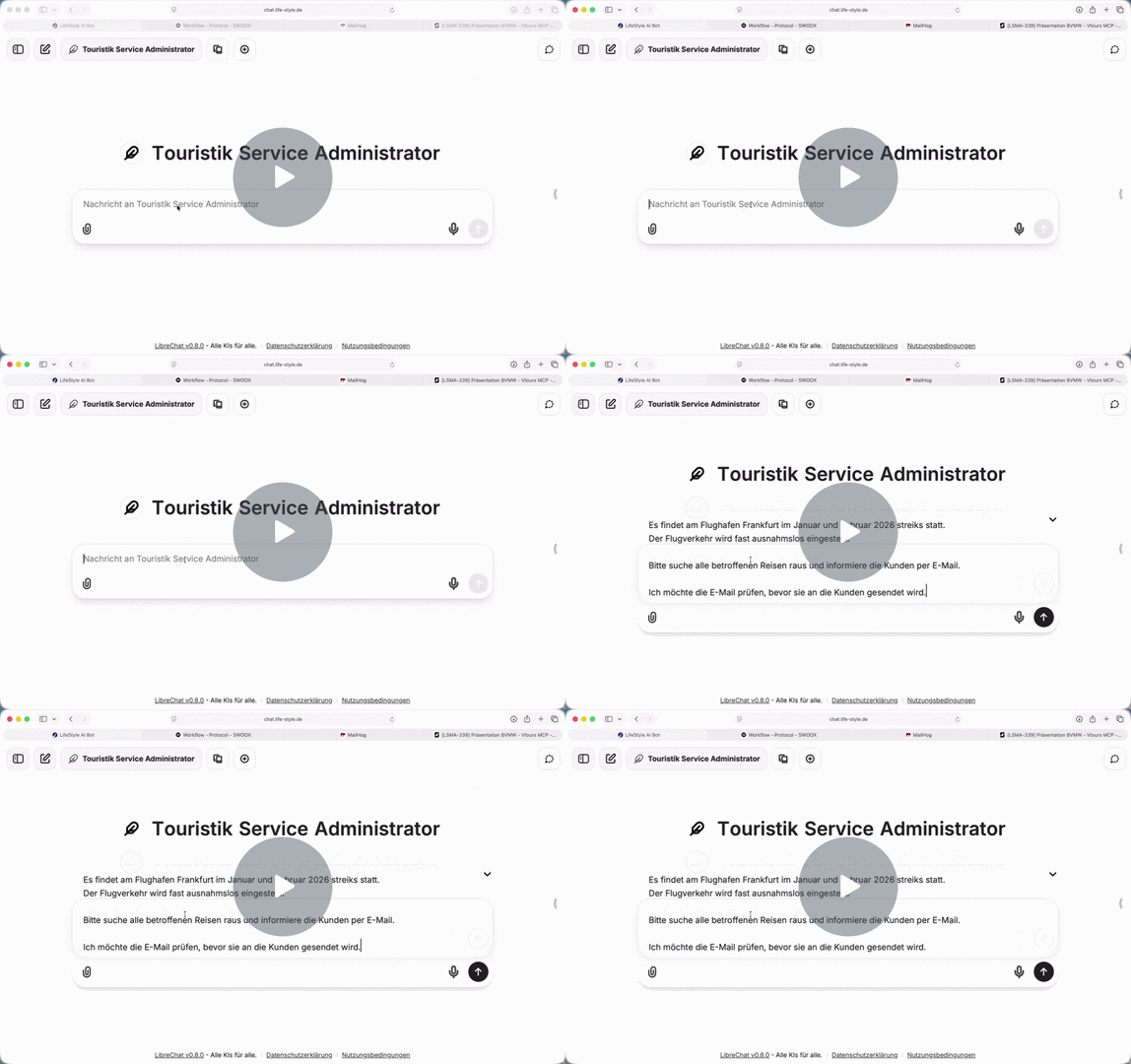
preview image swoox.io AI Bot Touristic Administrator


  • Management: An AI chatbot can be used to query current sales figures or booking trends. swoox.io calls up the appropriate workflows and delivers data that can be evaluated immediately. The AI creates diagrams or reports and can derive recommendations for action from them.

workflow geschäftsführung

  • Marketing: Combining AI and business processes generates campaign recommendations – based, for example, on the most frequently booked destinations or customer segments. If desired, voucher codes can be automatically generated and sent to top customers.

workflow marketing


This interaction creates a new form of collaboration: people, processes and AI act as a single unit. Routine tasks are automated, while employees can concentrate on strategic and creative tasks. swoox.io thus turns AI into a productive, secure and always available team member – integrated into existing systems and processes.


Why swoox.io is particularly relevant for small and medium-sized businesses

Many small and medium-sized businesses are wondering how AI can be integrated into everyday life in a meaningful and secure way – without large projects, high costs or new IT structures. The answer: by using existing processes.

swoox.io makes exactly that possible:

      • Reuse existing workflows
      • No new interfaces necessary
      • Simply make processes AI-enabled

Every action is clearly defined and validated. AI agents act exclusively within permitted limits.
This protects against operating errors, ensures security – and builds trust among employees and decision-makers.


A digital team: integrated, intelligent, scalable

swoox.io combines management, support, accounting and marketing on a central platform. All departments work with the same automated processes – connected to ERP, CRM or booking systems, without media breaks and with a continuous data flow.

Specialist users model their workflows using the visual low-code editor, test processes and put them into productive use. The combination of logic-based automation and AI agents enables an intelligent division of labour between humans and machines.

The standardised AI infrastructure ensures consistency and security throughout the company. Every action remains traceable, documented and compliant – while simultaneously improving data quality, speed and efficiency.

This transforms swoox.io from a classic automation tool into an orchestrator of intelligent collaboration: the platform connects knowledge, processes and AI – for a new form of digital teamwork. Processes. Simple. Intelligent.


Conclusion: AI becomes part of the team – not just a tool

With swoox.io, automation becomes genuine human-AI cooperation. The platform connects processes, data and intelligence, making AI a productive team member.

Thanks to the low-code environment, specialist departments can also develop their own AI agents in an agile manner and implement initial prototypes within a few days. This keeps the risk low, makes it easy to get started – and ensures a quick return on investment.

Process automation and AI integration go hand in hand: with its intelligent workflow engine and MCP protocol, swoox.io lays the foundation for a new generation of networked, adaptive companies. The result: reliable, secure and scalable process intelligence.


Curious?
Experience in a personal demo how swoox.io makes your processes AI-ready – secure, integrated and scalable
Request a demo


Automate processes with Pimcore and swoox.io

  • Blog-Kachelbild:
  • Blog-Headerbild:
  • Blog Header Alt Tag: pimcore and swoox.io logo in front of a technical background

Would you like to complete recurring tasks in your company faster and more efficiently? In this article, you will learn how the PIM system Pimcore and swoox.io work together to automate processes. Using a specific use case, we show how reorders are automatically triggered when stock levels are low – a clear example of the perfect combination of intelligent data management and efficient process automation.


Inhaltsverzeichnis


  1. Introduction
  2. Contents of the tutorial
  3. Demo of the interaction between swoox.io and Pimcore  

Introduction

Pimcore is an open-source platform for data and experience management that enables companies to centrally manage and integrate digital data and use it consistently across different channels.
Swoox.io is a no-code platform that can be used to automate business processes and workflows.
The combination of the two platforms makes it possible to digitise business processes without any programming knowledge. Digital data managed in Pimcore is transferred to swoox.io, where it serves as the basis for automating mapped business processes.


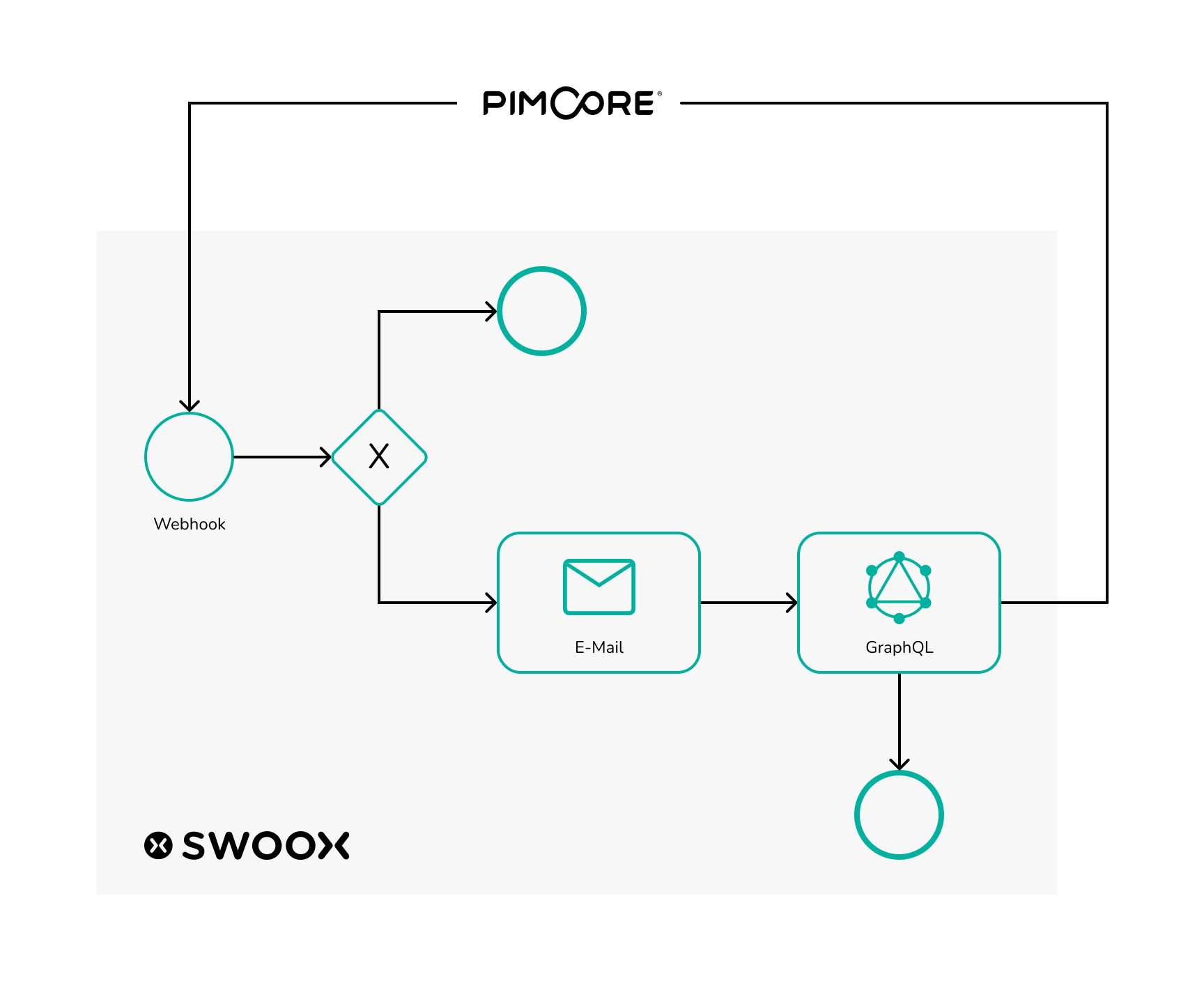
Graphic illustrating data exchange between Pimcore and swoox.io

Graphic illustrating data exchange between Pimcore and swoox.io


The following use case with video tutorials provides a brief insight into the possibilities offered by the collaboration between swoox.io and Pimcore.
In this use case, which is based on Pimcore demo data, swoox.io is used to reorder new vehicles when the stock level of cars at a car dealership is too low.
In Pimcore, a webhook can be created for this purpose, which sends this information to swoox.io when the data in a Pimcore data object (in this case, car data) changes. Swoox.io then checks whether the inventory is too low and, if necessary, sends an email to the car manufacturer to reorder. The number of available cars is then updated using the GraphQL interface in Pimcore.


Tutorial content

Creating categories

For this use case, variables, a template and, of course, a workflow are created in swoox.io. However, before these configurations can be created, the necessary categories must be created.


Creating variables

In swoox.io, the necessary variables are first created, which will later be needed for the template, among other things. The name of the car manufacturer's contact person, the permanently required number of cars, and the email addresses of the car dealership and the car manufacturer should be reusable and easy to maintain, which is why they are created as variables. The video only shows how to create the contact person for the car manufacturer. The procedure is similar for the other variables.


Create template

Once the variables have been created, the next step is to create the template. The template will later be sent as an email in the workflow to inform the car manufacturer that new cars are to be ordered.


Create API request task

In the workflow, later, we want to work with the data which Pimcore sends to the workflow. To enable this, an API Request configuration must be created in swoox.io. The data format used in the video can be obtained via the Pimcore webhook.


Create a REST Task

The workflow is not only to work with data from Pimcore, but also to send data back to Pimcore, in order to increase the number of available cars again. To communicate with the GraphQL interface of Pimcore, a REST configuration is set up in swoox.io that sends data to the previously created GraphQL interface in Pimcore.


Creating math task

Within the workflow, a calculation must be made to determine how many cars need to be reordered in order to get back to the desired stock quantity. This can be achieved in swoox.io via a Math configuration.


Creating workflow

In the next step, the workflow itself can be built.


Linking workflow with API

Once the workflow is created, in the last step the workflow can now be connected to the Pimcore webhook. For this, a configuration must be made in the API Manager.


Demo of the interaction between swoox.io and Pimcore

With all configurations in place, the workflow is ready to use. In Pimcore, you can now set the number of any car to below five. In the swoox.io log you can check whether the workflow ran without errors. If the workflow ran successfully, in Pimcore the number of available units of the car is reset to five.

Are you ready to get started?
We’ll show you how swoox.io can master your individual use case.

Podcast: Process documentation and automation in marketing and sales

  • Blog-Kachelbild:
  • Blog-Headerbild:
  • Blog Header Alt Tag: Hand holding smartphone with swoox.io logo on the screen, while social media logos and icons are visible in the background

In the latest episode of the podcast "Digitalization in Marketing and Sales" by Norbert Schuster, the focus is on process documentation and automation in these areas. Norbert Schuster, a renowned author, speaker, consultant, and trainer, welcomes our CEO Daniel Kalkowski as a guest to discuss this topic.

As Daniel Kalkowski emphasizes in the interview, detailed process documentation is essential to efficiently automate sales processes. By thoroughly capturing and analyzing each step, companies can automate repetitive tasks such as follow-up communication, lead scoring, and reporting. This not only saves time and costs but also improves the accuracy and consistency of sales activities. Seamless system integration is crucial to fully leverage automation and sustainably increase efficiency in sales.


Topics at a glance:

  • Automation of business processes: What steps are necessary to automate processes in marketing and sales?
  • Capturing business processes: How can individual steps be recorded and documented in detail?
  • Process types and steps: Which specific processes exist and what steps do they include?
  • Meaningful automation: In which internal scenarios is automation particularly useful, and which processes can be automated?
  • Benefits of automation: What concrete benefits does automation offer for both internal and external processes?
  • Optimal use of time: How can the time gained through automation be used efficiently?
  • System integration: How can different systems be integrated to successfully automate processes?
  • Automation tool: How can a tool like swoox.io support automation?


Listen now:

spotify podcast digitalization marketing sales


The podcast is also available on Apple Podcasts and YouTube.

swoox.io Integration now available in the Pimcore Store

  • Blog-Kachelbild:
  • Blog-Headerbild:

The swoox.io Pimcore integration is now officially available in the Pimcore Store. This allows processes to be automated directly from Pimcore and existing system landscapes to be seamlessly connected without the need for individual software development.

With its release in the Pimcore Store, the integration is available as a standardised and maintainable solution and can be easily integrated into existing Pimcore setups.

What does this mean for Pimcore users?

The integration meets the key requirements of modern Pimcore projects:

  • Standardised installation via the Pimcore Store
  • Maintainability and updateability according to Pimcore standards
  • Seamless integration into existing Pimcore architectures
  • Scalability for growing process and system landscapes

For companies, this means a reliable solution that grows with their business and technical requirements over the long term.


Pimcore as a data management hub – enhanced by process automation 

Pimcore is the central platform for product and master data, content and digital assets in many companies. The swoox.io integration expands this role:
Changes in Pimcore can be used specifically to trigger automated workflows or to pass on information to other systems in a structured manner.

This creates a clear separation between data management and process logic – without media breaks and without individual special solutions.


Typical areas of application

Among other things, the integration can be used to:

  • Automatically trigger processes when changes are made to data objects or content
  • Transfer information from Pimcore to third-party systems
  • Control cross-system processes in a structured manner

Our use case demonstrates how this approach works in practice and which processes can be automated with it. More details can be found in our reference case “How Pimcore and swoox.io streamline digital workflows”.


The swoox.io Pimcore integration in action

Experience how Pimcore and swoox.io interact and how processes are automatically triggered from data management.

Video: swoox.io Pimcore integration – demo


From idea to implementation

Our tutorial shows you how to set up the integration and what steps are necessary:
Step-by-step instructions


Now available in the Pimcore Store

The swoox.io Pimcore integration is now available and can be used directly in Pimcore projects.

Go to integration in the Pimcore Store

If you have any questions about integration or use in existing projects, we are happy to provide technical support.

The 8 most persistent myths about process automation – and what's really behind them

  • Blog-Kachelbild:
  • Blog-Headerbild:
  • Blog Header Alt Tag: hand points to three gears that represent process automation

Digitalization and process automation are considered key building blocks for future-ready companies. Nevertheless, many fears and myths circulate, often driven more by uncertainty than by facts. Intelligent automation solutions like swoox.io offer great opportunities to simplify processes, relieve employees, and optimize resource use.

In this article, we debunk the 8 most common myths about process automation and show why you shouldn't miss out on this trend.


Myth 1: Automation leads to massive job losses

Many fear that robots and software will take away jobs. While digitalization does change the workplace – according to Prof. Dr.-Ing. Dieter Spath, around 140,000 jobs could disappear due to digital transformation by 2035 – new professions are created at the same time, especially the demand for IT experts, process managers, and automation specialists. Automation is meant to free employees from repetitive tasks, not replace them.


Myth 2: Process automation is only for large companies

Company size plays a minor role – what matters is how well processes can be automated. Small and medium-sized enterprises also benefit greatly when they digitize repetitive or time-consuming tasks. Solutions like swoox.io enable flexible and cost-efficient automation that can scale.


Myth 3: Automated processes are rigid and stifle creativity

On the contrary: automation frees employees from routine work and creates space for creative and value-adding tasks. Processes can be adapted flexibly and continuously optimized. Automation is a tool – not a restriction.


Myth 4: Software takes over and I lose control

Process automation provides more transparency and control. With meaningful metrics and dashboards, managers can always keep an overview and intervene when necessary. This increases security and quality.


Myth 5: Automation is too expensive and not worthwhile

The investment depends on the process. Especially for frequent, complex tasks, automation solutions quickly pay off through time savings and reduced errors. Flexible subscription models significantly lower entry costs.


Myth 6: Automation is only about cost reduction

Cost savings are just one advantage. Time savings, higher process quality, and employee satisfaction are equally important. Automation supports sustainable growth.


Myth 7: Only IT experts can implement automation

Modern tools are intentionally designed so that process owners without in-depth programming knowledge can operate and adapt them. This makes automation a team success.


Myth 8: Automation is a one-time action

Automation is a continuous process. Processes must be regularly reviewed and optimized. Agile tools support flexible adjustments to new requirements.


Conclusion: Process automation is not a myth but the future

Digitalization is changing the workplace, and automation is a key driver. Companies that do not optimize their processes risk competitive disadvantages. Automation solutions like swoox.io help you use resources efficiently, relieve employees, and respond flexibly to market changes. This keeps you competitive – today and tomorrow.

Practical Insight: swoox.io in Action

With swoox.io, companies automate a wide variety of processes – from invoice processing and vacation requests to complex workflow management. The intuitive platform allows rapid implementation, transparent process monitoring, and flexible expansion.

© 2026 swoox.io. All rights reserved

Pfeil nach oben
© 2026 swoox.io. All rights reserved.